DSC watchkeeping: the alarm must cover the whole bridge
RS and RKO rules: practical application
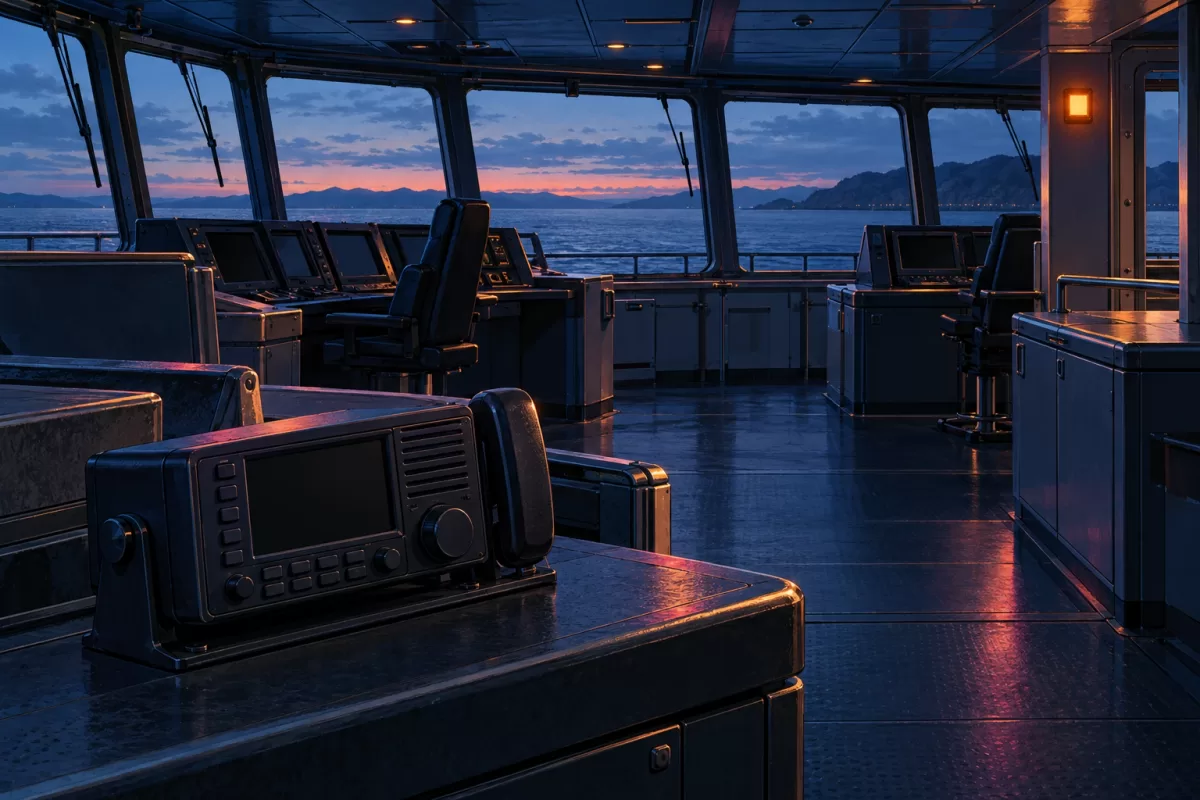
After a VHF replacement, the display may look right in the new console while the watch notices a call only nearby. A shipboard radio station needs to receive the required calls continuously, give audible and visual alerts, and allow access to the message text and controls. NSR NVR-3000 is a Class A DSC marine VHF radio. Choose the location and any additional devices for the bridge as a whole.
Which vessels these requirements cover
This guide uses Part VII, Radiocommunication Equipment, of the RKO Rules for Classification and Construction of Ships, as amended by Order No. 29-p dated 31 March 2026. Section 2.3 covers DSC equipment for radio watchkeeping on ships of classes M-SP, M-PR, and O-PR. Receiver requirements depend on the sea area. A VHF set alone does not automatically cover requirements for other bands.
Under clause 1.1.2, the new requirements apply to products and to ships under design or construction, subject to Part 0. Unless specified otherwise, vessels and equipment already in service remain subject to the requirements under which they were built or manufactured. Before ordering, state the class, sea area, vessel documents, and applicable edition. Consider additional Administration instructions under clause 1.1.5.
What the watch needs
Clauses 2.3.2–2.3.4 address different functions. A speaker, a display, and a DSC label do not establish compliance in the actual installation.
| The result | Requirements to reference in the specification |
|---|---|
| The alarm is audible and visible throughout the bridge | Clause 2.3.2. For bridge location, see also clause 4.2.8 |
| The warning message can be read on the bridge | Clauses 2.3.3 and 4.2.9. A shared display or printer is permitted if simultaneous messages can be queued |
| The channel 70 watch continues during radiotelephone operation | The receiving arrangement selected under clause 2.3.4 |
| The controls are immediately accessible | VHF installation location under clause 4.2.5 |
For the VHF installation, clause 4.2.5 specifies the forward part of the bridge near the radar display, immediate access, and priority over other control panels. When operating the controls, the officer of the watch must face forward.
Clause 2.3.4 allows a separate watch receiver, a dedicated receiver within the radio installation, or a permanently tuned DSC set with an additional radio for other channels. The design should specify the option used. Scanning voice channels does not demonstrate a continuous DSC watch.
Start with watch positions and bridge layout
On the plan, mark the normal conning position, radio operating station, and other watch positions. Include photos of the console, partitions, and existing alarms. For relocated equipment, show the old and new locations. Changing the display height or operator position can affect alert visibility.
Clause 4.2.3 allows radio watch receivers to be placed elsewhere on the bridge if the required conditions are met at the conning position. Clause 2.3.2 still requires clear audibility and visibility throughout the bridge. Saying an alert is audible at the chair does not describe full coverage. Give the specialist the actual bridge boundaries and watch conditions.
Which NVR-3000 options to discuss
NSR brochure rev15.1 describes voice communication, Class A DSC, and the channel 70 watch. Listed options include the NAU-100 alarm unit, NSK-100 external loudspeaker, and NVR-3000R remote station. These are relevant options for the station design. Confirm which ones the quotation includes.
First specify where alerts and controls are needed. Then agree on which approved accessories, circuits, and settings will provide that result for the chosen radio variant. A BAM/INS output does not establish that an arbitrary external system can receive the required events. An additional handset alone does not establish that it relays every alarm type.
List the main radio, selected remote devices, required accessories, and work on retained equipment separately. If reusing an existing alarm system, provide its model, wiring diagram, and documentation. This gives the supplier a specification for a defined radio station with compatible components.
How to document installation readiness
Clause 4.2.7 provides for audible and visual alarms after receipt of distress or urgency alerts, alerts carrying the distress category, and other alerts unrelated to distress or urgency. The alarms must remain enabled and allow manual acknowledgement. Acknowledging an alert is distinct from disabling the alarm. The installation must also provide a means of testing it. The acceptance program should cover the required events, watch positions, text display, and intended radiotelephone mode. Determine the test method and scope from the agreed program, applicable rules, and manuals. This guide does not recommend transmitting false distress alerts.
Keep the layout and list of devices used, the functions tested, and the results. Confirm documentation and approvals for the specific variant and vessel. Display size and the manufacturer's options list do not replace those records.
What to provide for a quotation
For selection of NVR-3000 provide the vessel class and operating area, applicable documents, bridge plan, and existing radio and alarms. Specify watch positions, required additional stations, retained circuits, work scope, and number of sets. The quotation confirms price, variant, condition, package contents, availability, and lead time. Delivery is quoted for the specified city in Russia or Kazakhstan.
Sources: Russian Classification Society (RKO), amendment to Part VII, Order No. 29-p; NSR NVR-3000, brochure rev15.1.
More in this series
- Portable GMDSS: gloved operation and readiness for use
- New equipment near the magnetic compass: what to agree
- Echo-sounder trunk: access and water detection
- AIS: accounting for audible fault alarms
- NGR3000 antenna: information needed before choosing a location
- Echo-sounder cable: routing, shielding and deck connections
- EPIRB: float-free release and access to the container
- AIS-SART: the mounting arrangement is part of the package
- NTW-1000: checking the emergency-battery expiry date
- Echo-sounder transducer: conditions around the installation site
- Position source for GMDSS: include power supply in the brief
- AIS pilot plug: what to agree for the bridge
- NAVTEX: bringing an SAR message to the watchkeeper's attention
- Speed log for a project: speed through the water or over the ground