WPLN4194: steady and flashing yellow, top-up charging and completion
Equipment: functions and package contents
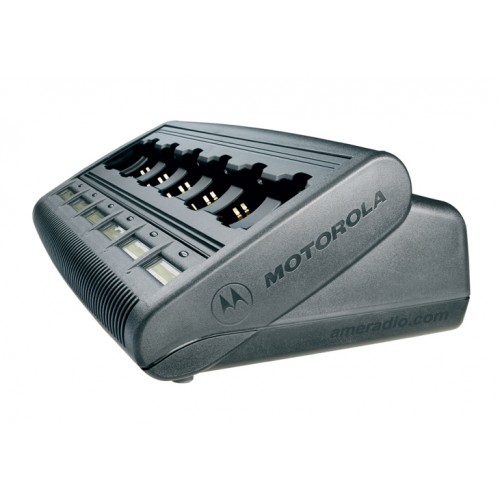
For the WPLN4194, saying the yellow light is on leaves out an important detail. Steady and flashing yellow indicate different states. When discussing battery readiness, record the LED behavior, display text, battery designation, and time of observation. That gives service staff a reproducible description of what the specific charging bay did.
Motorola WPLN4194 in the group catalog
What the IMPRES manual distinguishes
The indicator table in Motorola's Adaptive Multi-Unit Charger manual, which covers the WPLN4194, lists these states:
| Indicator | Meaning in the manual |
|---|---|
| Steady red | Rapid charging |
| Flashing green | Rapid charging complete, top-off charging in progress |
| Steady green | Charging is complete |
| Flashing yellow | Battery recognized, waiting to charge |
| Steady yellow | IMPRES battery reconditioning or initial initialization |
The manual attributes the waiting state to low battery voltage or an unsuitable battery temperature. The display-module section lists WAITING TO CHG with HOT BATTERY, COLD BATTERY, or LOW VOLTAGE. The actual condition determines which message appears.
Yellow alone does not identify the cause. Log reconditioning separately from waiting for conditions that allow charging. During automatic reconditioning, charging follows the maintenance stage. The indicator does not show that the battery is ready to issue immediately.
Rapid charge completion and readiness
Flashing green means rapid charging is complete and top-off charging continues. Specify which state the person issuing batteries needs to see. Saying it turned green leaves out whether the light flashed or stayed steady.
The CDM display uses TRICKLE CHARGE for top-off and CHARGE COMPLETE when charging is complete. Report the actual combination of display text and indicator behavior. A single word recalled from memory cannot identify a failed component or a universal waiting time.
How to verify battery preparation for a shift
Agree on a check using a defined batch of compatible batteries. Record starting condition, the occupied bay, observed stages, and the final result. If batteries behave differently, the records let staff investigate each case. This is a proposed acceptance program rather than a test report for a charger in stock.
Inlight's listing describes the WPLN4194 as having six bays and displays. Its estimated 60–90 minutes does not apply to every maintenance cycle. The manual lists reconditioning as a separate mode. For shift planning, use the conditions of the specific battery batch.
Quotation for the required variant
Provide the full WPLN4194 part number, battery designations, number of working bays, and current issue process. Confirm package contents, power requirements, condition, and applicable manual. The indicators discussed here are from Motorola's archived 09L67-C edition.
Agree on price, documentation, actual availability, and lead time in the quotation. List checks of charging stages, staff instructions, and any other work separately. Use the exact state names during acceptance so staff can interpret the indicator correctly.
Sources: Motorola, Adaptive Multi-Unit Charger 09L67C (2005); Motorola: manual 09L67C.