SAILOR 6390: What NMEA Trace Can Confirm
Equipment: functions and package contents
A stream of NMEA sentences in the SAILOR 6390 diagnostic window does not establish that the receiver is using the incoming data correctly. Manual 98-137261-F distinguishes checking the electrical connection from correctly parsing NMEA sentences. When replacing a navigation data source, record the result at the receiving end as well as whether data is flowing.
SAILOR 6390 NAVTEX Receiver — SpectraTech catalogue listing
What NMEA Trace is for
The manual dated 29 March 2022 describes the tool in the service section on printed pages 21–22. It shows current data to and from the selected port. The observation applies to that connection, rather than to every interface in the installation.
The manufacturer states that the trace checks the electrical connection and does not guarantee correct parsing of the NMEA sentence. Visible text in the window alone cannot establish successful integration. Identify what information the system needs and what observable result confirms its use.
This article covers the tool described in that edition of the manual. Its capabilities may differ between software versions of the 6390. The manufacturer assigns access to the service interface to a service engineer. Follow the applicable service procedure.
Three distinct results in one test record
Suppose a data source is replaced and the technician sees sentences in the trace while the expected field stays empty. This is an illustrative case. It shows why the observation should be recorded more precisely than "NMEA working."
| Level of verification | What to record | What the observation has yet to establish |
|---|---|---|
| Selected connection | Port, direction and observed sentences | Whether other ports have been checked |
| Use of the data | Required field or function on the receiving equipment | Whether visible text is parsed correctly |
| Operation of the installation | Agreed result at the intended workstation | Whether one diagnostic screen verifies the whole workstation |
A record like this gives the next technician a specific observation instead of a general assessment. If the expected result is absent, document the observation and configuration. That symptom alone does not justify replacing either the receiver or the external source.
The manual gives an example of how symptoms differ. Dashes in the time column indicate that a valid message time is unavailable, and the manual suggests checking the GNSS connection. Dashes alone do not establish that a wire is broken. The trace and the processing result provide different information.
The diagnostic window and the service session
The manual says NMEA Trace runs independently of the Service Interface and allows normal operation of the receiver. Related notifications can also be observed on the 6004 panel. The manual separately warns that exiting the service interface restarts the NAVTEX receiver.
Treat monitoring the trace and ending a service session as distinct steps. Specify the service window and how to verify that the workstation returns to the agreed operating state. These passages give no restart duration or guarantee of continuous reception.
For a Connection lost message, the manual suggests checking the LAN cable and whether a Service Interface connection is still open. The troubleshooting table gives similar guidance for loss of contact with the BDU. After service, include details of the session in the handoff alongside the observed connection state.
What to include in the test brief
Before work starts, list the receiver, panel, data source and applicable software versions. Define the expected result, the port and what will be recorded. Record data exchange separately from confirmation of the required function. Include closing service access in the agreed scope.
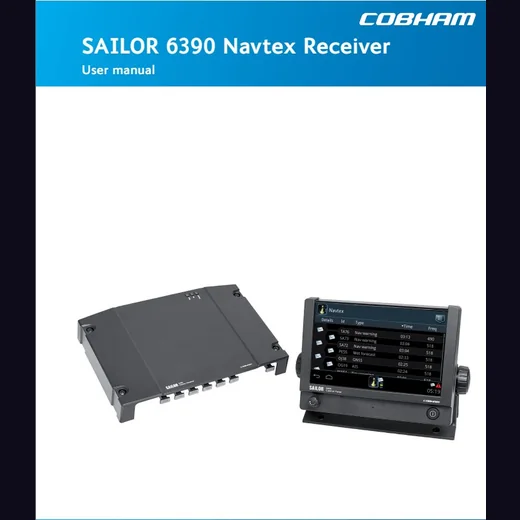
SpectraTech lists a SAILOR 6390 kit with a 6004 panel and an antenna. The listing illustration shows a manual cover with the receiver and panel and does not show the antenna. It does not establish the actual configuration or prove that diagnostics have been completed. Agree the contents and work for the specific workstation. No equipment was connected or service session opened for this article.
Sources: SAILOR 6390 manual 98-137261-F, pages 19–22 and 35–36; kit in the SpectraTech catalogue.