NNTN7392: reading IMPRES data and separate charging
Equipment: functions and package contents
Consider the Motorola NNTN7392 for a technician's workstation that needs data from IMPRES batteries. Inlight lists it under charging accessories, but the Battery Reader itself retrieves data. Motorola documents the reader separately from the charger. The reader does not charge the battery.
Motorola NNTN7392 — Inlight group catalogue listing
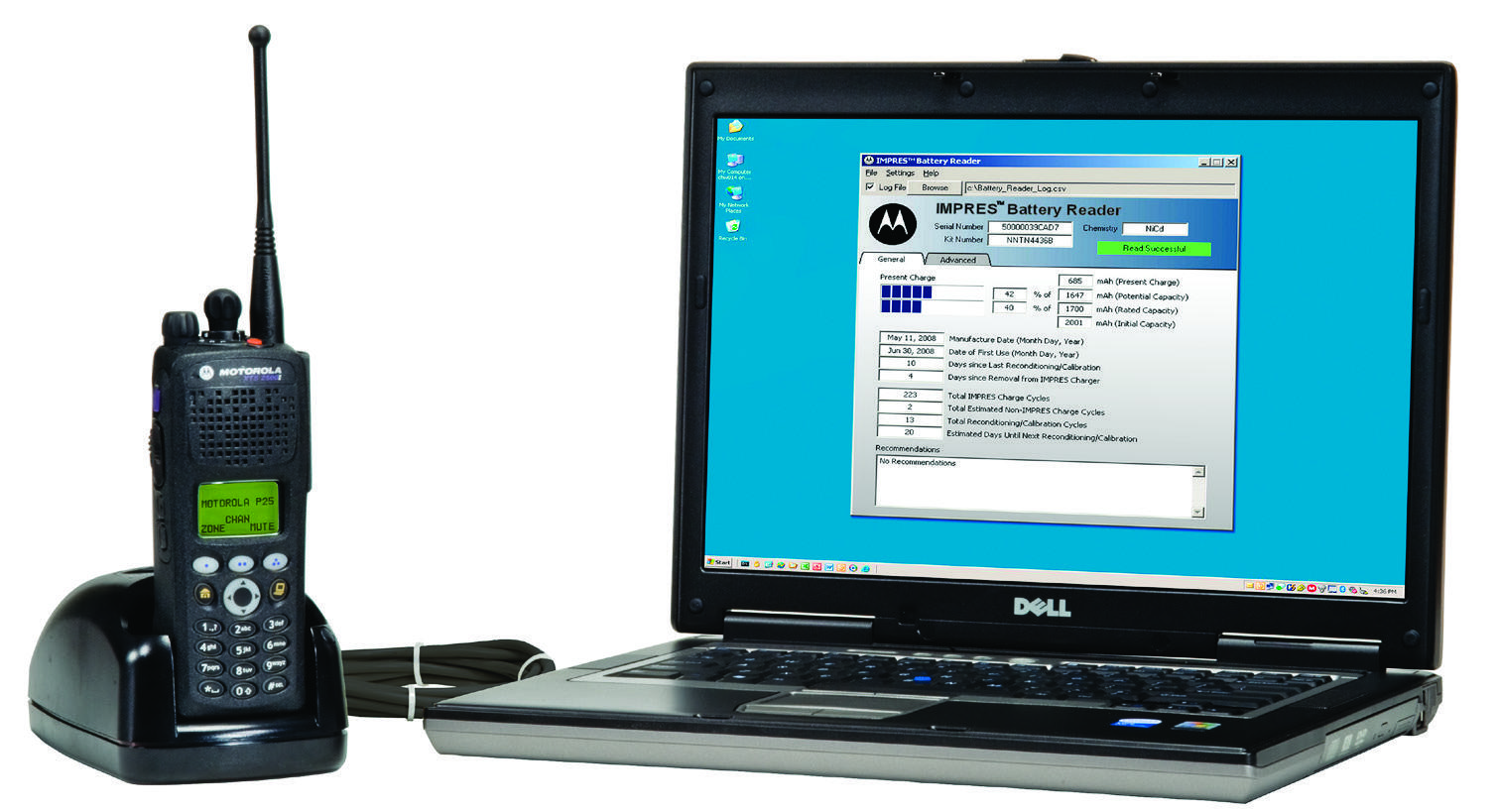
What the technician gets
The IMPRES Battery Management brochure lists charging, reconditioning and battery use data for the NNTN7392. It describes viewing battery age and usage information and exporting data to Excel. Technicians can use those records when deciding how to handle a particular battery and retain the results for comparison.
For example, a service team can log batteries that staff return because of short runtime. The record should link the battery identifier, readout date, reported figures and the actual shift conditions. A later report can then be compared with the earlier record. An export alone cannot establish a universal service life or promise a particular number of hours on the radio.
The reader can show reconditioning data, but it does not perform a reconditioning cycle. Motorola documents the Battery Reader separately from the chargers and their interfaces. Keep those roles clear in the quotation so a request for a data report does not result in an order for a charging station.
USB powers the reader
The manufacturer brochure describes connecting the Battery Reader to a computer over USB without an additional power supply for the reader. USB does not charge the inserted battery. The computer is part of the data retrieval workstation, and the Motorola illustration explicitly states that the laptop is not included.
For the standard NNTN7392 package, the brochure lists the reader, USB cable, HT Series, MOTOTRBO and APX inserts, and system software media. Confirm the actual inserts and contents of the version on offer before ordering. An archived packing list does not establish what is supplied with a particular unit.
One workstation and fleet management
A reader on a technician's desk and a networked system for a large battery fleet require different equipment. Motorola describes Fleet Management with software, licensing and charger interface devices. Buying one NNTN7392 does not provide that system.
Specify whether you need a one-off read of a battery, local exports or a shared tracking system across departments. Include the battery models, existing chargers, computer and software environment. Confirm compatibility and software availability before delivery. An old disc listed in the documentation does not establish compatibility with every current operating system.
What to include in the quotation
Ask for an NNTN7392 with confirmed accessories and an agreed acceptance result: reading a selected compatible IMPRES battery and producing the specified report. Specify chargers separately according to the service team's needs.
Inlight confirms the price, condition, contents, documentation, availability and delivery time in the quotation. Computer preparation, software requirements and any work are agreed separately. Acceptance covers the data retrieved. Where radio runtime matters, check it under a separate agreed procedure.
Sources: Motorola Solutions, IMPRES Battery Management RO9-1001©2015; Motorola Solutions, An Introduction to Benefits of IMPRES Energy.