SRS-300: Which buttons remain active when the keypad is locked
Equipment: functions and package contents
The NavCom CPC-300 keypad lock does not disable every control. The 2025 manual НАДС.464512.027РЭ explicitly says the 5 and SOS keys remain active. A key icon on the screen therefore does not establish that no front-panel button can change the radio state.
NavCom CPC-300 — SpectraTech listing
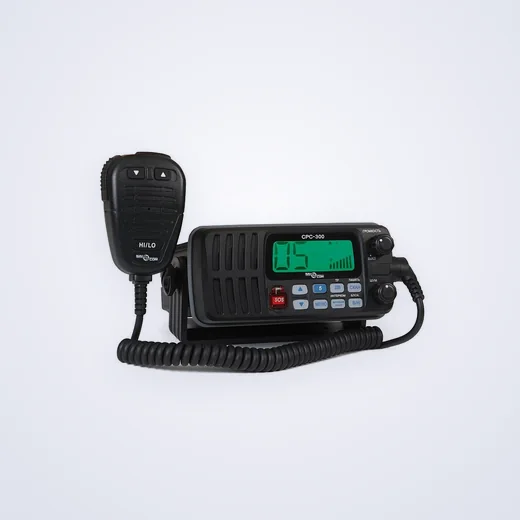
The lock applies to specific keys
Section 2.4.6.9 associates the lock with a key icon on the display. Channel selection, menu, scanning and switching to the second station are disabled in this state. The manufacturer lists two exceptions: the 5 and SOS keys remain active.
Saying an employee locked the keypad does not establish that every key is disabled. At handover, distinguish controls protected from ordinary presses from functions the manufacturer intentionally leaves available. A key icon on a phone or another radio does not establish the behaviour of this model.
| Control | Behaviour under lock in section 2.4.6.9 |
|---|---|
| Channel selection | Keys disabled |
| Menu | Key disabled |
| Scanning | Keys disabled |
| Switching to the second station | Key disabled |
| «5» | Remains active |
| SOS | Remains active |
This list comes from one manual section and does not represent testing of every control. It does not establish the behaviour of every microphone, external control or combination of modes. Confirm those details separately for the offered version when relevant.
Channel 5 creates a different control state
Section 2.4.6.5 describes the separate function of the 5 key. When selected, the other keys are locked, and the radio returns to normal mode when that key is used again. This differs from the general keypad lock indicated by the key icon. The two states have different triggers.
This matters when investigating a report that channels will not change. That observation alone does not establish a fault in the keys or the radio. Identify the selected mode and display indication first. The manual sections help frame the question for a specialist and do not justify changing the state of an operating radio without checking.
Record the channel, displayed symbols and when the restriction appeared. “The panel froze” loses those distinctions. A photograph can preserve the observation, but it cannot establish the cause or replace a check of the radio.
The SOS cover and keypad lock have different roles
The manual shows SOS under a red plastic cover. The cover does not change the stated keypad behaviour. SOS remains active under the general lock. The key icon does not prevent SOS activation.
Agree on control checks with the responsible specialist using applicable documents. This review does not call for transmitting a distress signal as a demonstration or prescribe an on-air procedure. No operating radio was tested for the article. The documentation defines the limits of the feature for purchase specifications and crew familiarisation.
Agree on the required behaviour before ordering
If access to particular actions must be restricted, list those actions. A general keypad-lock requirement may imply more than the CPC-300 provides. Assess the actual functions without assuming an undocumented password or complete transmission inhibit.
SpectraTech lists the NavCom CPC-300. This review refers to the 2025 CPC-300 manual НАДС.464512.027РЭ. Confirm applicability to the exact revision. Agree on the radio version, hand microphone, required accessories and panel states to verify. Confirm contents, documentation, availability, price and work in the quotation. A catalogue photograph does not establish the current configuration.
Sources: CPC-300, НАДС.464512.027РЭ, 2025, sections 2.4.6.5 and 2.4.6.9; manufacturer’s CPC-300 page with the manual; SpectraTech catalogue.